Find tonight’s movie
Sign in with an eligible Cloud account and choose a movie or episode from veedeeoh’s Pluto TV, Tubi or Internet Archive catalogue. Check your available party credits before hosting.
Choose a film from veedeeoh’s catalogue and send your friends a party invite. Watch together in your browser with synced playback and live reactions. A browser extension is not required.
Create your movie-night account ↗New accounts include a 7-day Cloud trial. Cloud is $4/month after you subscribe. Hosting uses party credits; guests can join four parties a month free.
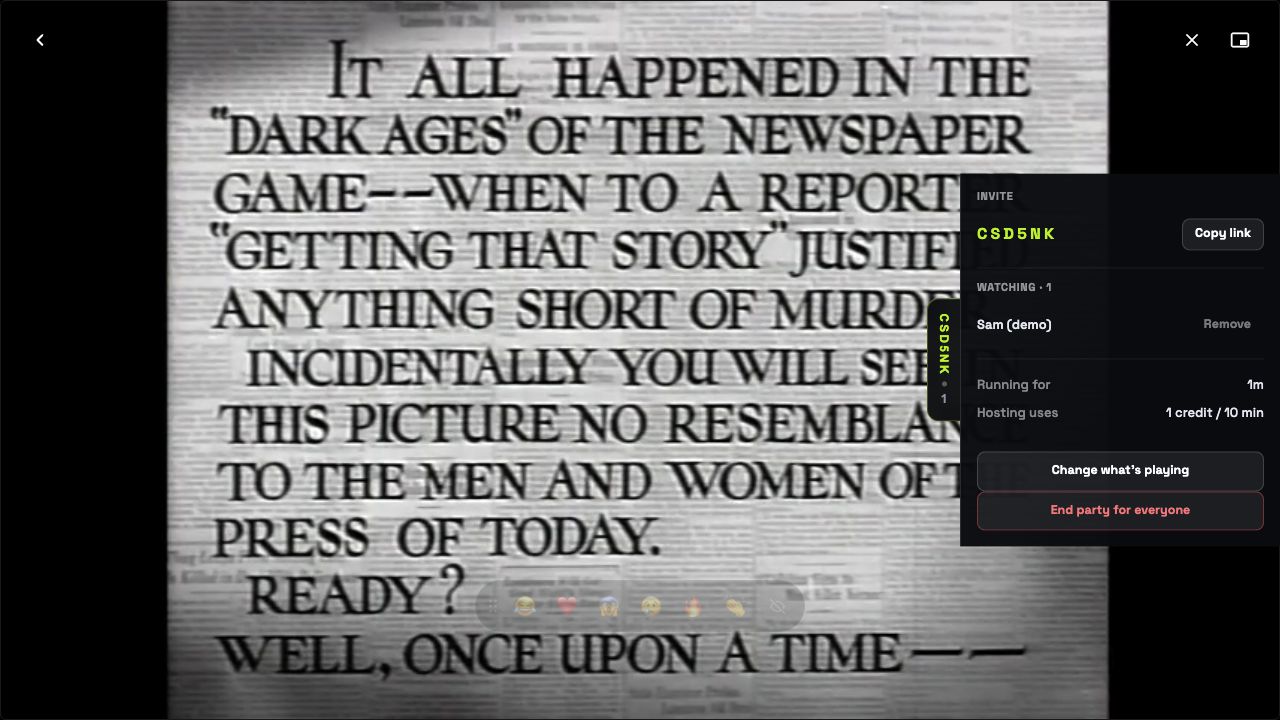
These screenshots come from a recorded test of His Girl Friday using two separate browsers. Alex hosted and Sam joined with demo accounts. The invitation is closed; these are product captures, not a live party.
The host can see who is ready before choosing “Start watching”.

The real host panel shows Sam connected, an invite control, and the option to change the movie or end the party.
Both captures below show the film paused at 0:20. The host has playback controls; the viewer keeps personal sound and display controls.


Open any screenshot to see it at full size. Actual availability, advertising and subtitles depend on the selected provider and title.
Sign in with an eligible Cloud account and choose a movie or episode from veedeeoh’s Pluto TV, Tubi or Internet Archive catalogue. Check your available party credits before hosting.
Choose “Start a watch party” on the title. Set your seat limit and whether guests need approval, then select “Start party”. Use “Copy invite link” to send the invitation to your friends.
Once your friends have joined, select “Start watching”. Your play, pause and seek controls drive the group. Keep the hosting tab open; viewers can use resync if they fall behind.
Open their invite link, create a free account or sign in, and select your profile. If the host has approval turned on, wait for them to let you in. A kids profile’s rating limits still apply.
When the host starts the movie, playback follows their controls. If your browser asks you to press play, tap the playback prompt. Free accounts can join up to four watch parties per month.
Each viewer can set their own volume, mute and captions. Use the player’s CC control or caption settings when the selected source supplies a subtitle track. Some titles have no selectable subtitles.
Choose a film everyone can access before movie night. Each person streams directly from the provider, so regional availability and provider advertising still apply.
A watch party gives your group shared playback without asking everyone to count down to the play button.
Friends with free accounts can accept invitations and join up to four watch parties per month. A free account does not include hosting.
Watch parties are a Cloud feature. The free self-hosted edition does not include them. Compare self-hosting.
Includes three household profiles, synced watchlists and progress, and access to watch-party hosting.
Party hosting uses credits. Check your current allowance and any top-up price in your account before hosting. Extra household members are $2/month each.
Create your movie-night account ↗New accounts include a 7-day trial. You can cancel your subscription anytime.
Yes. Veedeeoh watch parties run in your browser. The host chooses a movie or episode from veedeeoh’s catalogue and shares an invite link. Guests need a veedeeoh account; hosting requires eligible Cloud access and available party credits.
Choose from the Pluto TV, Tubi and Internet Archive titles currently available in veedeeoh. The catalogue changes, and availability can differ by region. A party invitation does not connect an external streaming subscription or unlock a restricted title.
Guests can use a free account to join up to four watch parties a month. Hosting requires an eligible Cloud account and available party credits.
Yes, when the provider includes them. veedeeoh does not remove provider advertising. Streams come directly from Pluto TV, Tubi or the Internet Archive as those providers deliver them. A Cloud subscription pays for veedeeoh’s features and hosting, rather than ad removal.
You can join a party remotely. Each viewer still needs access to the selected provider’s stream. A party invitation does not override a provider’s regional availability or playback restrictions.
veedeeoh keeps the party on the host’s playback position and provides a resync control when a viewer needs to catch up.
Watch parties are available in Cloud. The free self-hosted edition keeps profiles and watch progress on your machine and does not include watch parties.
Check film access and subtitles, send the invite early, and test a pause together before you settle in.